Practice Activity Week 5
Accessing the Practice Activity
Download the materials for the activity here: pa-5.zip
This .zip folder contains:
- the Quarto file for making the dashboard
- the logo image for the dashboard
- the data used to make the dashboard
Be sure to save the file inside your Week 5 folder of your STAT 431 (or 541) folder!
Repairing the Dashboard
The pa-5.qmd file you’ve been given creates a Quarto dashboard, but the layout of the dashboard needs some help! Your goal for this activity is to transform the Quarto dashboard you’ve been given into this dashboard:
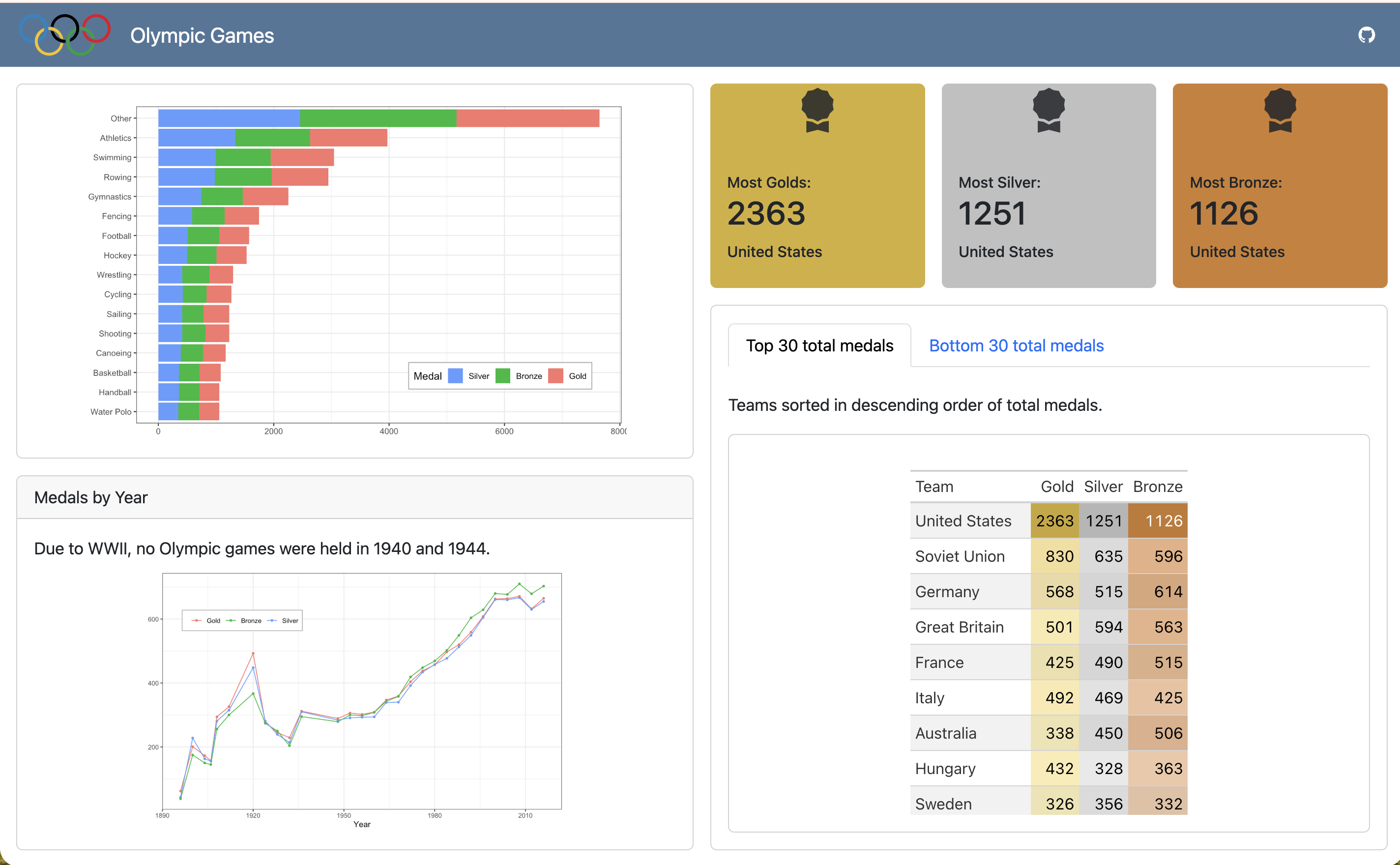
Small Incremental Changes
Rather than trying to change everything all at once, we recommend you go in phases.
Phase 1 - Layout
Change the layout of the dashboard to align with the target dashboard. Things to consider:
- Where should the columns be?
- Where should the rows be?
- How much space should each card get (within a row or column)?
Phase 2 - Valueboxes
Now that you have the layout set, let’s adjust the valueboxes! Things you will need to adjust:
- the color of the boxes
- the icon used for the boxes
- information included in the boxes
Phase 3 - Visualizations
Let’s turn our attention to the two visualizations. Things you will need to adjust:
- the themes of the plots
- the location of the legends
- the ordering of the legends
- adding a text description above the second plot
Phase 4 - Tables
Our final step is to adjust the tables presented in the two tabsets. Things you will need to adjust:
- how the tables are arranged
- the columns names
- the columns included
- the order of the columns
Once you are finished, submit your completed pa-5.html file to Canvas!